Backend Development
Laravel Multi-Tenancy for SaaS: Architecture and Code (2026 Guide)
Build multi-tenant SaaS apps in Laravel. Compare single-DB vs multi-DB architectures and implement tenant isolation with Spatie's laravel-multitenancy package.
Every Laravel SaaS hits the same fork in the road eventually: how do you keep Tenant A from ever seeing Tenant B's data? Get it wrong and you're not looking at a bug report , you're looking at a data breach. Get it right early, and tenancy becomes invisible infrastructure instead of a source of 2am incidents.
This guide walks through the real architectural decision , single database vs. multi-database vs. hybrid , and shows how to implement it with Spatie's laravel-multitenancy package, with copy-pasteable code throughout.
Table of Contents#
- Introduction
- 1. Architectural Patterns
- 2. Spatie's laravel-multitenancy Package
- 3. Database Setup and Migrations
- 4. Writing Tenant-Aware Code
- 5. Pitfalls & Tips
- Laravel Multi-Tenancy Checklist
- FAQ
- Resources
Introduction#
Most SaaS architects start with a single, shared database because it's the fastest way to ship. That's usually the right call , but as customer count, compliance requirements, or per-tenant data volume grow, many teams end up migrating toward isolated or hybrid setups. Knowing that migration path exists before you need it changes how you design your schema from day one.
The practical trend in 2026 is a hybrid model: a shared global database for cross-tenant concerns (billing, auth, platform admin) paired with isolated per-tenant databases for the actual application data. It gives you the operational simplicity of a single control plane with the hard data isolation of separate databases where it matters most.
What Is Laravel Multi-Tenancy?#
Multi-tenancy in Laravel is an architectural pattern that allows a single instance of a web application to serve multiple clients or accounts (called tenants) while keeping their data completely isolated and secure. Instead of deploying separate application instances for every customer, developers run a single codebase where each tenant experiences a private, customized environment.
1. Architectural Patterns#
For more details checkout our detailed article on this topic Laravel single vs Multi-Database
Single Database (Shared Schema)#
Every tenant's rows live in the same tables, scoped by a tenant_id column.
Pros:
- Simplest to build, migrate, and deploy
- One connection pool, one set of migrations
- Cheapest to run at small-to-medium scale
- Easy cross-tenant analytics and admin tooling
Cons:
- A missing
tenant_idscope is a data-leak waiting to happen - Noisy-neighbor risk , one tenant's heavy query can slow down everyone
- Harder to satisfy enterprise customers who require physical data isolation
- Backup/restore for a single tenant means filtering, not just restoring a file
┌───────────────────────────────┐
│         app_database          │
│  ┌──────────────────────────┐ │
│  │ users (tenant_id: 1,2)   │ │
│  │ orders (tenant_id: 1,2)  │ │
│  │ invoices (tenant_id: 1,2)│ │
│  └──────────────────────────┘ │
└───────────────────────────────┘
Multi-Database (Isolated Tenants)#
Each tenant gets their own database (or schema). The application switches connections at runtime based on who's logged in.
Pros:
- True data isolation , no shared tables means no leak risk from a forgotten
WHERE - Per-tenant backup, restore, and even geographic placement
- Easier to satisfy enterprise/compliance requirements (SOC 2, HIPAA, data residency)
- One tenant's load doesn't degrade another's queries
Cons:
- Migrations must run against every tenant database
- Connection management adds real complexity
- Cross-tenant reporting requires aggregating across databases
- More expensive at scale (more connections, more overhead per tenant)
┌───────────┐  ┌───────────┐  ┌───────────┐
│  tenant_a │  │  tenant_b │  │  tenant_c │
│  (own DB) │  │  (own DB) │  │  (own DB) │
└───────────┘  └───────────┘  └───────────┘
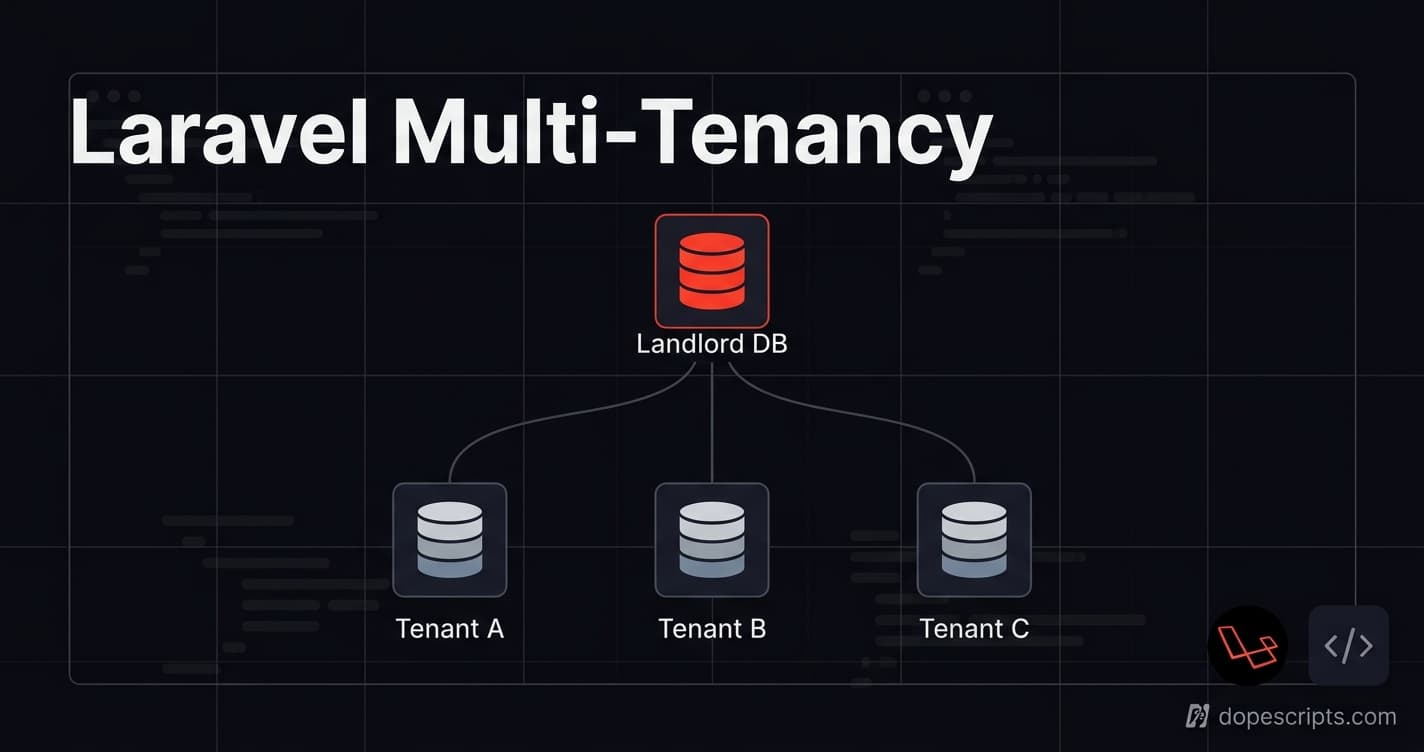
Hybrid (Shared Global + Per-Tenant Databases)#
A landlord database holds tenant records, billing, and platform-wide auth. Each tenant then gets an isolated database for their actual application data.
This pattern is increasingly the default for growing Laravel SaaS products in 2026 , it keeps platform operations (like tenant provisioning and billing) simple while still giving each tenant hard data isolation for the data that actually matters.
2. Spatie's laravel-multitenancy Package#
spatie/laravel-multitenancy is one option for implementing tenant identification and tenant-aware application behavior in Laravel without hand-rolling connection-switching logic yourself.
Installation#
composer require spatie/laravel-multitenancy

php artisan vendor:publish --tag="multitenancy-config"
php artisan vendor:publish --tag="multitenancy-migrations"
Configuring tenant detection#
The package supports detecting the current tenant by domain, subdomain, or a custom strategy. Domain-based detection is the most common approach for B2B SaaS:
// config/multitenancy.php

use Spatie\Multitenancy\TenantFinder\DomainTenantFinder;

return [
    'tenant_finder' => DomainTenantFinder::class,

    'tenant_model' => \App\Models\Tenant::class,

    'switch_tenant_tasks' => [
        \Spatie\Multitenancy\Tasks\SwitchTenantDatabaseTask::class,
        \Spatie\Multitenancy\Tasks\PrefixCacheTask::class,
    ],
];
The tenant model#
// app/Models/Tenant.php

use Spatie\Multitenancy\Models\Tenant as BaseTenant;

class Tenant extends BaseTenant
{
    protected $fillable = [
        'name',
        'domain',
        'database',
    ];
}
Middleware: switching the connection per request#
// bootstrap/app.php or routes/web.php

use Spatie\Multitenancy\Http\Middleware\NeedsTenant;
use Spatie\Multitenancy\Http\Middleware\EnsureValidTenantSession;

Route::middleware([NeedsTenant::class, EnsureValidTenantSession::class])
    ->group(function () {
        Route::get('/dashboard', DashboardController::class);
    });
Once NeedsTenant resolves the tenant from the request domain, every subsequent Eloquent query in that request automatically hits the correct tenant database , no manual scoping required.
3. Database Setup and Migrations#
Split your migrations into two directories: database/migrations for the landlord (global) database, and database/migrations/tenant for anything that belongs inside each tenant database.
// config/multitenancy.php

'migrate_tenant_migration_path' => database_path('migrations/tenant'),
Running migrations across all tenants#
php artisan tenants:artisan "migrate --path=database/migrations/tenant"
Creating a tenant programmatically#
use App\Models\Tenant;

$tenant = Tenant::create([
    'name' => 'Acme Corp',
    'domain' => 'acme.yourapp.com',
    'database' => 'tenant_acme',
]);

$tenant->makeCurrent();
$tenant->createDatabase();

Artisan::call('migrate', [
    '--database' => 'tenant',
    '--path' => 'database/migrations/tenant',
    '--force' => true,
]);
Global vs. tenant-specific tables#
| Table | Location | Reasoning |
|---|---|---|
tenants | Landlord DB | Registry of all tenants , must be queryable without a tenant context |
subscriptions / plans | Landlord DB | Billing spans the platform, not a single tenant |
users | Tenant DB | Each tenant's users are isolated from every other tenant's |
orders, invoices, products | Tenant DB | Core application data , the whole reason isolation exists |
4. Writing Tenant-Aware Code#
Once the middleware has switched the connection, ordinary Eloquent queries are automatically scoped to the current tenant , no extra where() clause needed:
// Inside a request that has already resolved a tenant via middleware

class UserController extends Controller
{
    public function index()
    {
        // Only returns users belonging to the current tenant's database
        return User::all();
    }
}
Creating a tenant at registration#
class RegisterTenantController extends Controller
{
    public function store(Request $request)
    {
        $tenant = Tenant::create([
            'name' => $request->company_name,
            'domain' => Str::slug($request->company_name) . '.yourapp.com',
            'database' => 'tenant_' . Str::slug($request->company_name, '_'),
        ]);

        $tenant->makeCurrent();
        $tenant->createDatabase();

        Artisan::call('migrate', [
            '--database' => 'tenant',
            '--path' => 'database/migrations/tenant',
            '--force' => true,
        ]);

        User::create([
            'name' => $request->admin_name,
            'email' => $request->admin_email,
            'password' => Hash::make($request->password),
        ]);

        return redirect("https://{$tenant->domain}/dashboard");
    }
}
5. Pitfalls & Tips#
-
Missing tenant scope is the #1 data-leak risk. In a single-DB setup, one forgotten
tenant_idfilter on a query , especially a raw query or a job running outside the request lifecycle , can leak one tenant's data to another. Always scope explicitly, or rely on global scopes/traits that enforce it automatically. -
Unindexed tenant queries get slow fast. Every query in a shared-schema setup effectively filters by
tenant_id, so it needs to be the leading column in your indexes. A composite index like(tenant_id, created_at)will outperform a plain index oncreated_atalone once you have more than a handful of tenants. -
Queued jobs lose tenant context by default. Since jobs run outside the HTTP request lifecycle, the middleware that sets the current tenant never fires. Spatie's package provides tenant-aware job dispatching , use it, or you'll get jobs silently running against the wrong (or no) tenant database.
-
Cache keys need tenant prefixing. Without it, a cached value for Tenant A can be served to Tenant B. The
PrefixCacheTaskin the config above handles this automatically , don't skip it. -
Test tenant isolation explicitly. Write a test that creates two tenants, seeds different data into each, and asserts that switching context returns only the expected tenant's rows. This is the single highest-leverage test in a multi-tenant codebase.
Laravel Multi-Tenancy Checklist#
- Chosen an architecture (single-DB, multi-DB, or hybrid) based on actual compliance/scale needs , not by default
-
spatie/laravel-multitenancyinstalled and tenant finder configured - Landlord vs. tenant migrations split into separate directories
- Every tenant-scoped table has
tenant_idas the leading index column (single-DB) or lives in an isolated database (multi-DB) - Middleware (
NeedsTenant) applied to every tenant-facing route - Cache keys are tenant-prefixed
- Queued jobs explicitly carry and restore tenant context
- A test exists that verifies tenant data isolation end-to-end
- Tenant provisioning (creation, database setup, migration run) is scripted, not manual
FAQ#
What is multi-tenancy in Laravel? Multi-tenancy in Laravel is an architectural pattern that allows a single instance of a web application to serve multiple clients or accounts (called tenants) while keeping their data completely isolated and secure. Instead of deploying separate application instances for every customer, developers run a single codebase where each tenant experiences a private, customized environment.
Should I start with single-DB or multi-DB for a new SaaS?
Start with single-DB unless you already know you need hard isolation (e.g., an enterprise customer requiring it contractually). It's faster to build and sufficient for most early-stage products. Design your schema so tenant_id is present everywhere from day one , that's what makes a later migration to multi-DB tractable instead of a rewrite.
Does Spatie's package support subdomain-based tenant detection?
Yes , DomainTenantFinder works with both full custom domains and subdomains. You can also write a custom tenant finder if you need to resolve tenants by something other than the request domain, like a header or path segment.
How do I handle a tenant that outgrows shared infrastructure? This is exactly what the hybrid model is for. Keep the tenant's record and billing in the landlord database, but provision them their own isolated tenant database. Since your application code is already tenant-aware, this becomes an infrastructure change rather than an application rewrite.